Linux Operating System
Creating a bootable USB drive from Linux for a Windows install
Introduction
Recently, Francois found a couple of debloated versions of Windows 10: one called Tiny 10, the other SASnet Windows Lite. He thought it may be a nice thing to try on his old Dell 1018 Netbook. To keep him company, and share his trials and tribulations, I thought I would do the same with my Samsung NC10 Netbook. What was very interesting (in hindsight) is that he has Windows computers at home, and mine are all Linux. As you will see, this almost made me give up the project as I could not create a bootable USB flash drive to install the Windows OS. [Please be aware that netbooks run on the Intel Atom Processor which is 32-bit. This made the whole exercise more challenging.]
I have created many bootable USB drives from Linux to install different Linux operating systems - in fact, this is the only method that I use these days. Historically, I used UNetbootin to create the bootable flash drive, but the Ubuntu based system I use now has something called "Startup Disk Creator" preinstalled, which works just as well as unetbootin, so I hadn't even bothered to install it.
So, I had a usable software tool and a brand new 32GB flash drive - all I had to do was to install the ISO. What could be simpler?
Startup Disk Creator
I tried this one first as it was available. The interface is similar to that of most of this type of program.
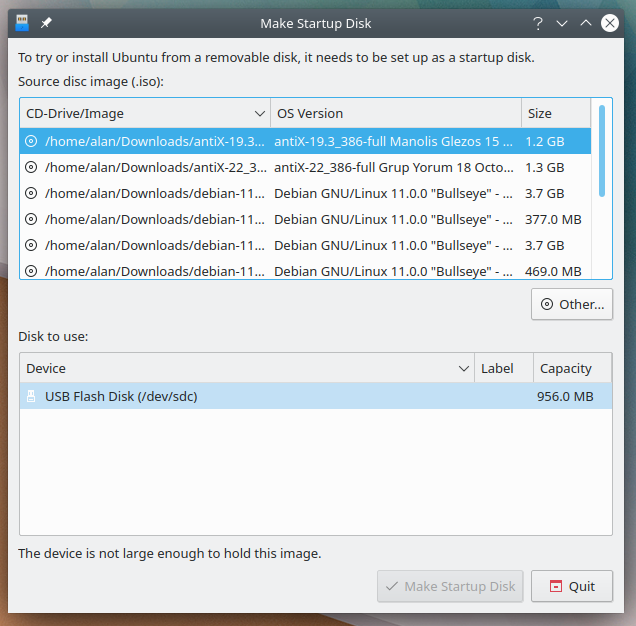
Startup Disk Creator's interface
You start by selecting the ISO and this is where I hit the first snag - it would only allow me to select linux ISOs. So I had to find another program to do the job. I did look at this page, and decided to download UNetbootin as I was familiar with it.
UNetbootin
UNetbootin was quite happy to install the Windows ISO, so I thought I had won.
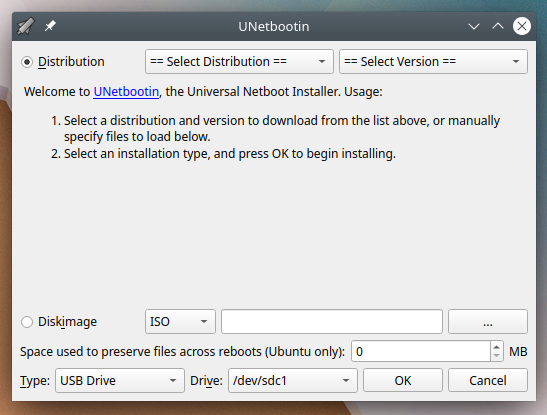
UNetbootin's interface
Unfortunately, as soon as I tried to install the OS, it went into a boot loop with a UNetbootin screen I had never seen before.
So, we were back to the drawing-board. As I had also used Ventoy before, I decided this may be worth it, as some clever people do mention it as a USB installation mechanism for Windows from Linux.
Ventoy
What I really like about Ventoy is that once have installed the Ventoy software with its USB bootloader, all you have to do is copy the ISO onto the flash drive. When you boot into the new machine, the Ventoy software unpacks the ISO and from that installs the software.
This install looked very promising as it actually got into the Windows setup program. Unfortunately, this also failed with either not being able to write to the netbook's hard drive or not being able to find device drivers.
This made me think that there was something that the Windows setup did not like about the formatting of the netbook's hard drive or the master boot record. So I downloaded the Ultimate Boot CD and installed it to another flash drive using UNetbootin. Unfortunately, repartioning and reformatting the netbook's hard drive made no difference to the problems I was having.
I have a feeling that the netbook has too little memory (2GB) for Ventoy to do its job. The Tiny 10 ISO is 3.1GB and the SASnet one is 1.9GB. As there were no residual files on the flash drive, the only place Ventoy could unpack the ISO was to memory. I needed to have the ISO unpacked on the flash drive.
As Rufus was the number one choice of the clever people on the Web for creating Windows USB insallation drives, I thought that I would give it a try from a Windows Virtual Box.
Rufus
Rufus looks pretty similar to the Linux equivalents, so using it was fairly trivial.
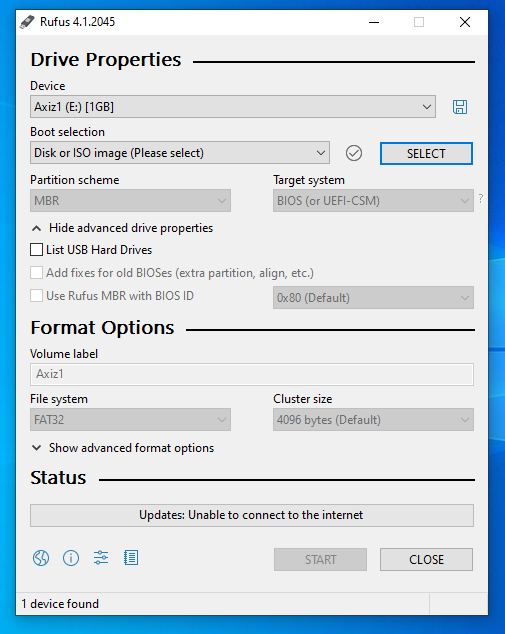
Rufus's interface
As with all these pograms, they unmount the flash drive when repartioning. This is a problem in a Virtual Box as the host controls the mouting and unmounting of drives and if the guest system unmounts the flash drive it has no way to re-access it. So Rufus crashed as soon as I told it to install the ISO.
Back to the drawingboard...
Balena Etcher
Balena Etcher is another program which the clever people say should install a Windows ISO on USB from a Linux system, so I decided to give it a try.
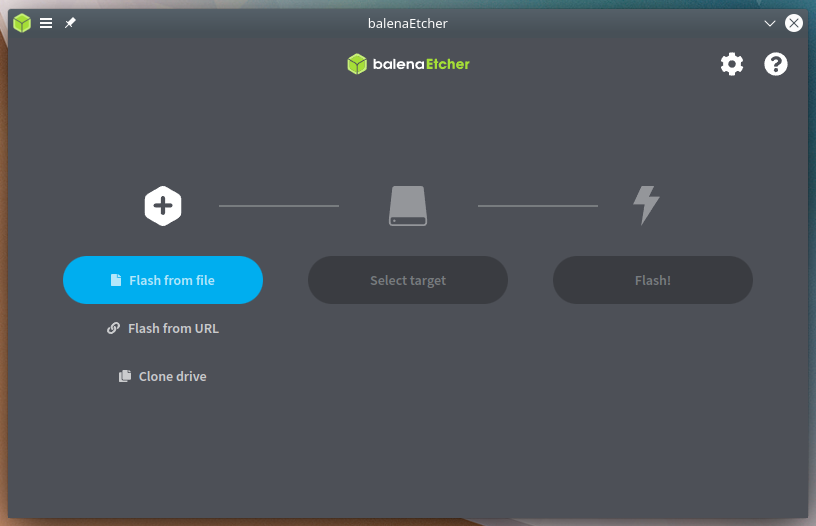
Etcher's interface
Etcher was the first program to give me a warning that all was not healthy with Windows ISOs. When trying to create a bootable USB from the Tiny 10 ISO, I got a warning that the ISO did not contain a bootable image.
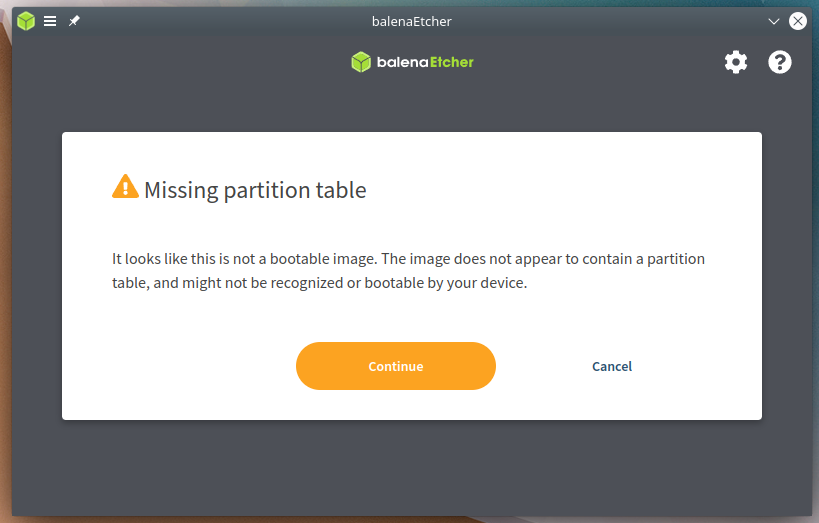
Tiny 10 warning from Etcher
I installed the ISO anyway and tried it. The boot on the netbook failed at some grub-like prompt. I then tried the SASnet image and got a different warning, this time it gave me a clue which solved my problem.
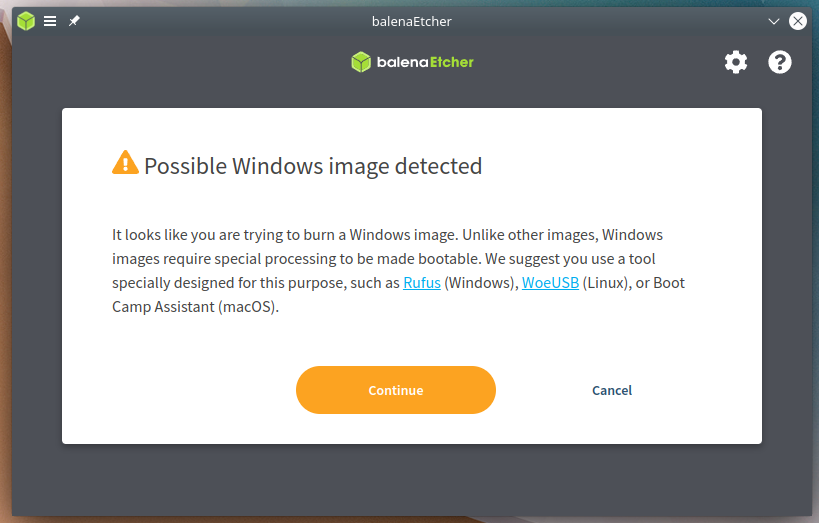
SASnet warning from Etcher
I then went to look for WoeUSB. Interestingly, none of the pages I had looked at previously had mentioned WoeUSB.
WoeUSB
Installing WoeUSB required jumping through a few more hoops as it required the intallation of pip and its dependencies. Fortunately, this page gave the necessary recipe. It's amazing now that I don't really need the information any more, I keep finding references to WoeUSB.
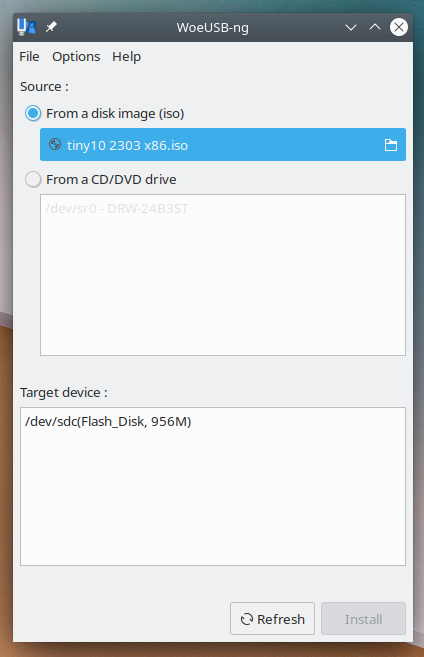
WoeUSB's interface
By using WoeUSB I was able to try both Tiny 10 and SASnet Black.
And I still don't like Windows...
(updated: 17 June 2023)
So where to now?
The question is now do I keep this machine or donate it to charity? I have tried using an old mini keyboard with my Samsung A6 tablet, but this was really irritating as the keys were not responsive enough for my style of typing. So I decided to try some of the 32-bit Linux distros, that worked for me in the past, on the NC10.
Unfortunately, 32-bit operating systems seem to have this year (2023) as their end of life date, so trying to find a working package is getting more and more difficuly.
AntiX still has downloadable 32-bit distros available, but the repositories are broken, so you cannot get updates. Even with the install, one of the remaining repositories is so slow as to be unusable.
So I have gone back to Debian to get a working system that I may use, or if I do give the machine away, the recipient could also have a working system.
(updated: 19 June 2023)
